

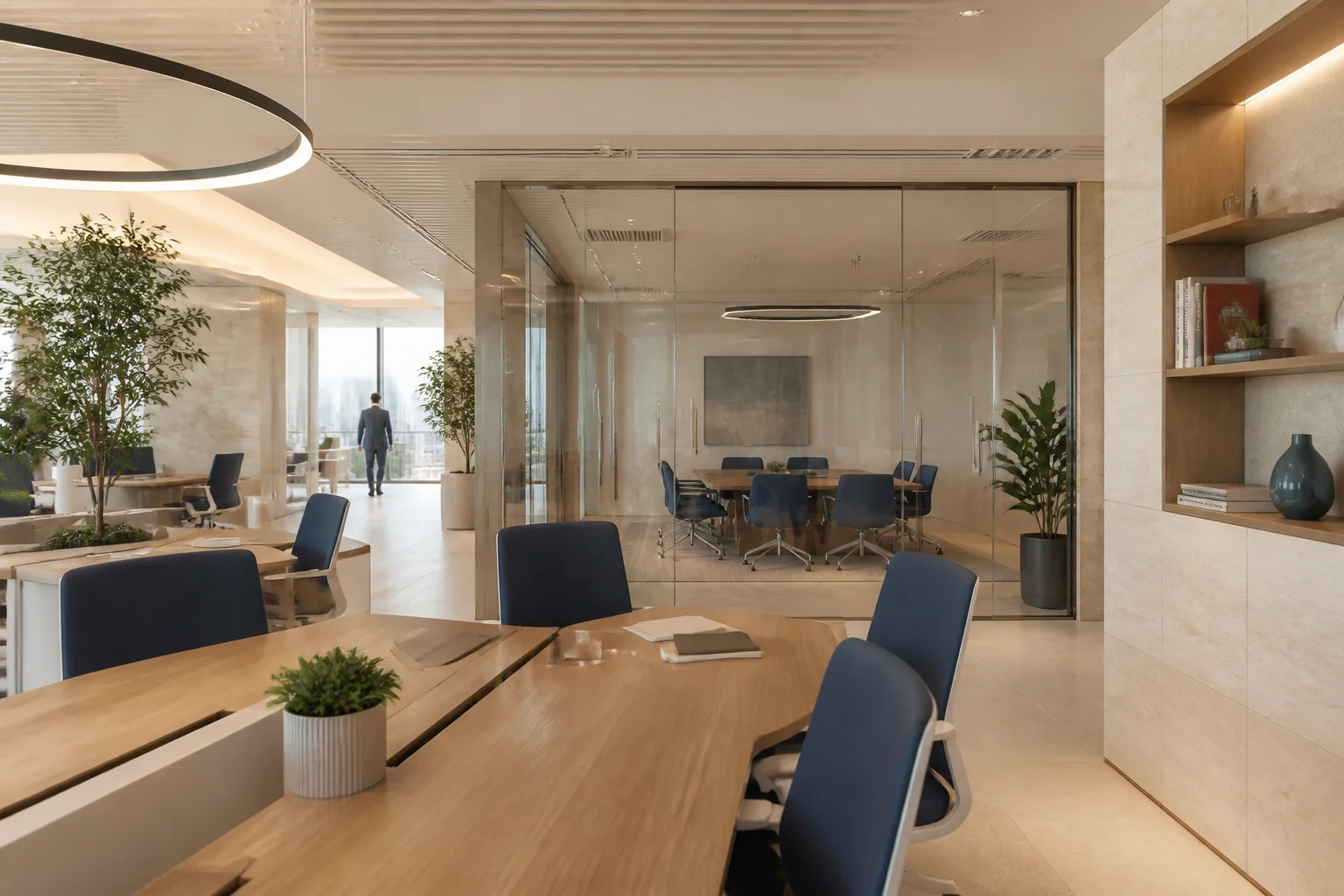
Make the workplace work for everyone.
Book desks and meeting rooms, manage check-ins, and understand how shared space is used. DesQ brings workplace teams and employees onto one coordinated platform.
A better day starts before arrival.
Employees need to know where they can work. Workplace teams need to know which spaces are available, which bookings were used, and where demand is changing. DesQ connects these views across locations, with booking rules and access shaped around your organisation.
Three apps, one workplace.
DesQ Space manages booking and workplace administration on the web. DesQ Go puts reservations and check-in in employees’ hands. DesQ Dock brings the experience on site through kiosks. Together, they connect a reservation to the place where work happens.
Follow the work
Find a space
Choose a location and a resource that fits the visit.
Make the booking
Reserve within the workplace’s availability and booking rules.
Arrive and check in
Confirm arrival through the configured mobile or kiosk journey.
Learn from use
Review attendance and booking patterns to inform workplace decisions.
An illustrative workflow. The sequence and controls are configured for the agreed scope.
The work DesQ helps you coordinate
A reservation is only half the picture.
A desk can appear booked while sitting empty. Check-in helps distinguish planned attendance from actual use.
Rules need to work across locations.
Give teams a consistent booking experience while accommodating the spaces and policies of each site.
Space decisions need context.
Understand booking and attendance patterns before changing a floor plan or adding capacity.
What DesQ does
Ten resource types, one booking engine
Hot desks, fixed desks, meeting rooms, phone booths, lockers, workstations and standing desks, each with its own properties, booking policy and approval rule. Pantries and washrooms appear on the map without being bookable.
Interactive floor maps
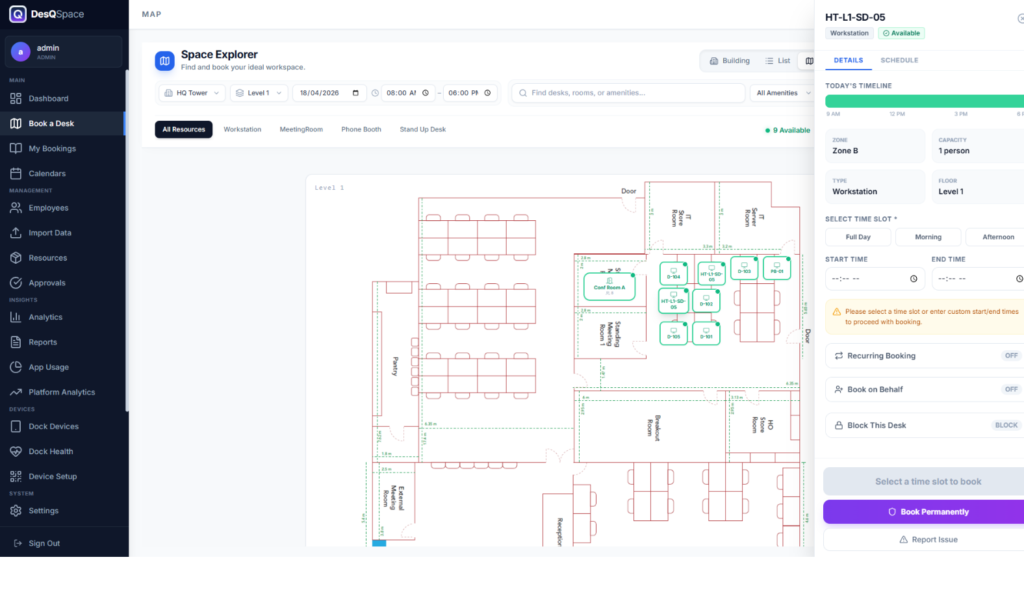
Building, floor, zone, resource. Your own floor plan with every desk placed on it, colour coded live, and bookable by clicking the desk you want.
QR and NFC check-in
Scan the code on the desk or tap the tag. A booking nobody checks into gets a warning, then releases itself, so the floor plan reflects the building rather than the calendar.
Workspace analytics
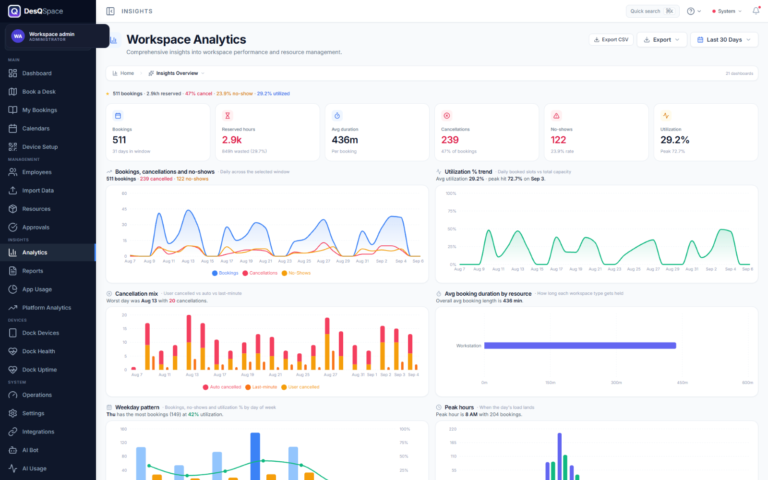
Utilisation and reserved hours against wasted hours, cancellation mix, no-show rate, weekday pattern, peak hour, department breakdown and resource popularity. Exportable.
Policies that match how you work
Booking windows by role, grade and department, minimum and maximum duration, grace periods, office hours, business days, holiday blocking and timezones. Queue and waitlist fill a released desk automatically.
Connected to what you already run
Single sign-on with Entra ID, bookings written into Outlook and Exchange room calendars, a Teams status that says which floor and which desk, and employee master data synchronised from your ERP or HRMS on a schedule. Push notifications through Firebase, email over your own SMTP.
Room displays and a device fleet
DesQ Dock at the door shows whether the room is free, takes a walk-up booking and confirms by QR. The fleet reports its own health and uptime, so a dead panel is something you know about.
Multi-tenant, audited, hosted either way
Five roles from super admin to employee, tenant data isolation, JWT-secured APIs, and an audit trail over every create, update and delete. Run it on our hosting or inside your own estate: both are supported deployments, sized to the buildings and headcount you actually have.
Inside DesQ
Screens from the product itself, with any account name or customer data replaced by neutral examples. Where a product is still in build, the screen is drawn from its design specification.
How DesQ is put together
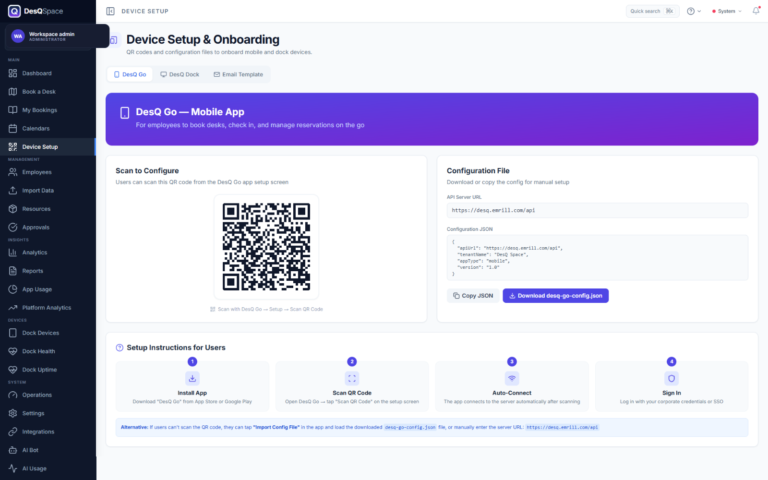
DesQ Space, the control centre
The web application the workplace and IT teams run everything from: a dashboard over the estate, map-based booking, calendars, employee administration with bulk import, resource metadata and properties, roles and permissions, approvals for bookings and desk blocks, analytics across utilisation, capacity, departments, compliance and cancellations, report generation and export, integrations, audit and error logs, tenant management, and every Dock device with its health and setup.
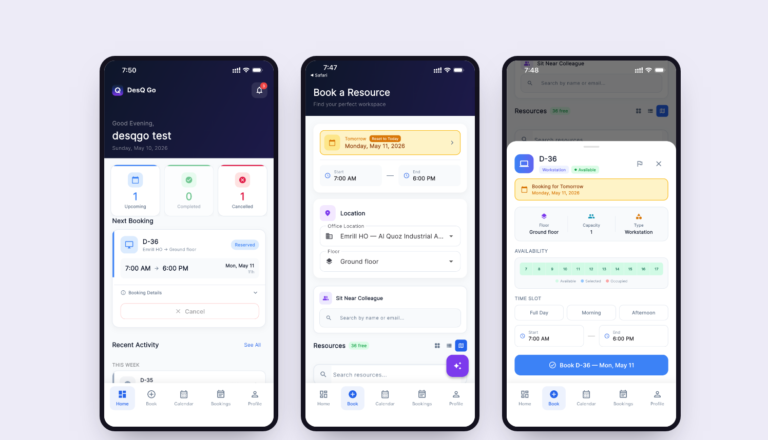
DesQ Go, the employee app
iOS and Android. Endpoint setup by QR, deep link or configuration file, sign-in by credentials, single sign-on or biometrics, a dashboard showing the current and next booking, new bookings, history and status, check-in and check-out, a notifications inbox, the calendar, Dock scanning on site, and profile and settings.
DesQ Dock, the screen at the door
A kiosk at the desk or room. Connected by URL, QR or configuration file, registered against the server inventory, then showing live status and the day's timeline at the point of use, taking a walk-up booking, confirming by QR from the phone, accepting a check-in, and holding a heartbeat so a silent panel raises an incident. Admin unlock, kiosk mode and factory reset stay with the administrator.
Workplace intelligence
Workspace and booking analytics, adoption across web, mobile and dock, platform analytics, scheduled reports and exports for capacity and real estate planning.
AI assistance
Smart Finder ranks available workspaces against stated preferences, team proximity and past bookings, with a match score and the reasons for it. The in-product assistant answers workspace questions, and AI usage is metered by calls, tokens and cost so the spend is visible before it is a surprise.
Administration, service desk and integration
Roles and access, tenants and multi-location, settings and policies, employee import, audit and error logs, background job health, and a built-in service desk for maintenance, IT, cleaning and desk blocks.
Plan the fit for your organisation
Where DesQ may fit
Product brochure
What DesQ covers, how it is put together, and what it needs to run.
Common questions about DesQ
Which DesQ app does each team use?
Employees use DesQ Space on the web or DesQ Go on mobile. Workplace administrators use Space to manage resources and policies. DesQ Dock provides the on-site kiosk experience.
Can DesQ fit our workplace policies?
Booking rules, locations, roles and approvals form part of the product scope. Bring your attendance and space policies to a discussion so we can map them to the configuration and identify any gaps.
What should we prepare for a rollout?
Start with a location and resource inventory, the people who own each space, your check-in approach and identity requirements. Calendar, device and hosting arrangements should be agreed for the chosen deployment.
Explore our other products
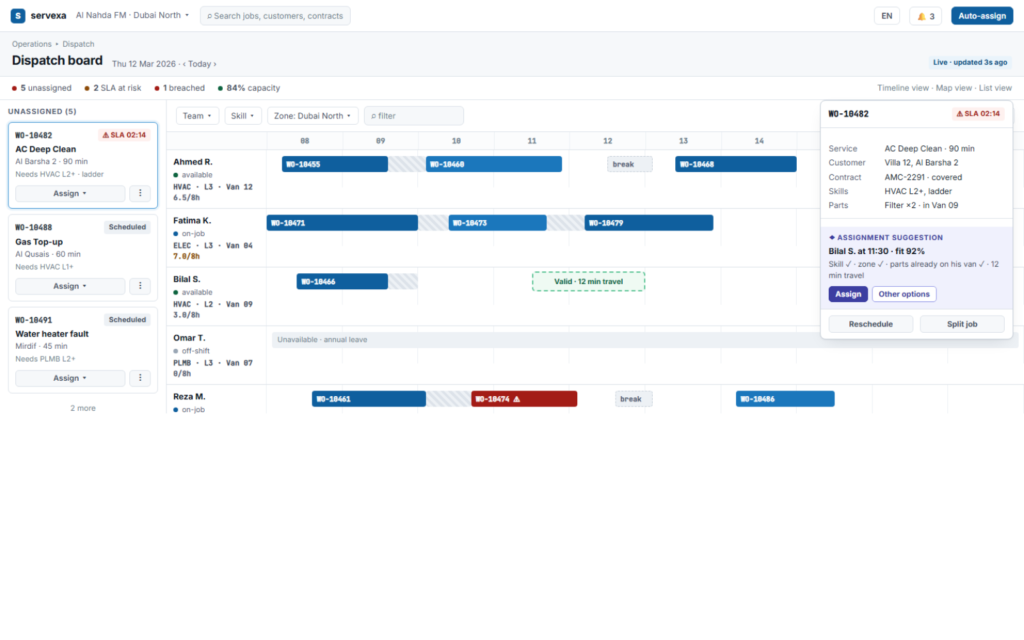
Servexa runs the full life of a service job: what was promised, what was scheduled, who did it, what it consumed, what it cost and what it was worth. A booking front end for customers, a dispatch board for operations, an offline app for the field, and a configuration studio where the service catalogue is versioned rather than deployed.
Explore →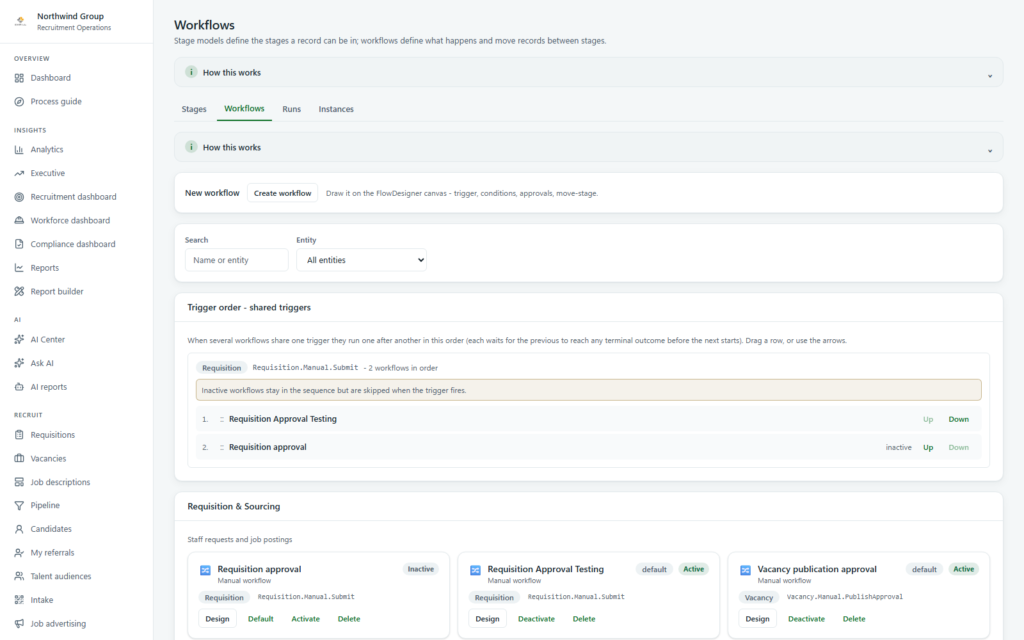
Rovix runs the whole chain from a staff request to somebody starting work: requisitions and approvals, vacancies and pipelines, agencies, offers, onboarding and internal mobility. Four audiences use it, the workflows behind it are drawn rather than coded, and its AI is advisory by architecture.
Explore →What would a better working day look like?
Bring us the process you want to improve. We’ll explore the product, technology and delivery work it needs.